A few years ago, a senior team memeber noticed that I was using telnet. He immedialty stopped me and said, “Please uninstall telnet immediately”. After doing some resaerch, I quickly reallized why having telnet installed can be dangerous. In this post, I’ll be discussing what is and the consequenses of using it.
What Is Telnet?
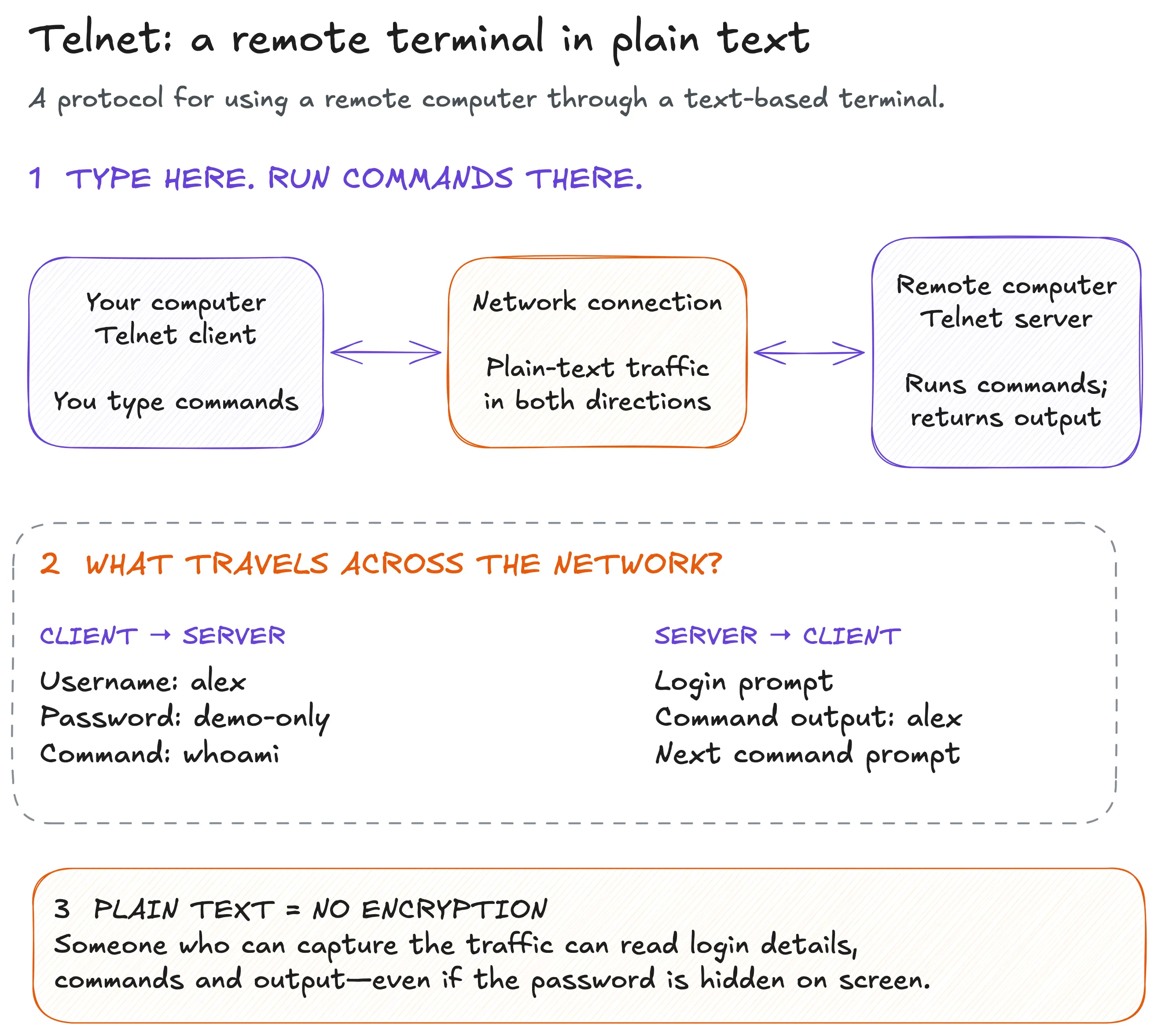
Telnet provides an interactive terminal connection to a remote system. You connect, log in, and issue commands as if you were sitting at that machine. So what’s the big deal. Once you’re connected, all of your traffic is plain text.
Security Consequences
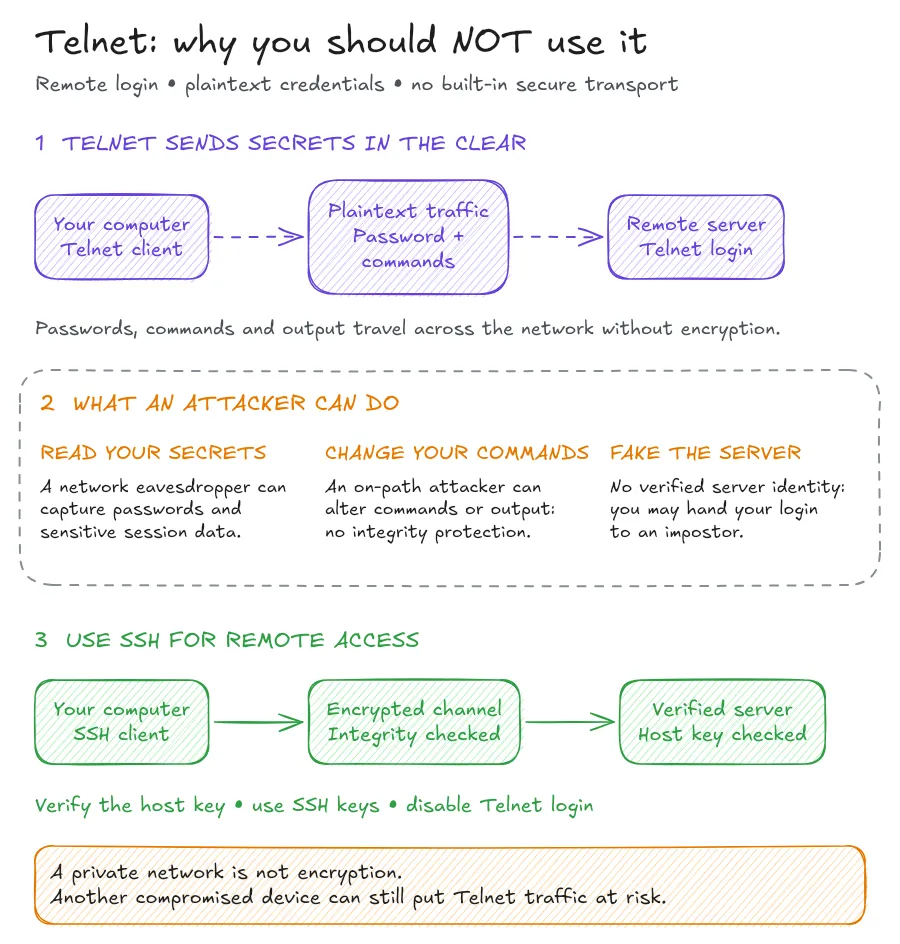
Using Telnet for remote access has three main security consequences. Let’s walk through what each one could mean for your session.
1. Someone Can Read Your Secrets
A password prompt might hide the characters you type. That only hides them on your screen; it doesn’t encrypt their journey across the network.
Think of writing a password on a postcard. Putting your hand over it while you write doesn’t protect it once you hand it over for delivery.
Someone who can observe the connection’s traffic can potentially capture your credentials. The exposure continues after login: configuration output, application data, and secrets printed in your terminal can also be visible.
That doesn’t mean every device on the same network automatically sees the session. The attacker needs a way to observe its traffic. The problem is that standard Telnet offers no encryption once they have that access.
2. Someone Can Change Your Commands
Reading traffic is only one risk. An attacker positioned in the communication path may also be able to modify it.
For example, imagine checking a configuration value before making a change. If an attacker alters the response, you could make your next decision using false information. Changing commands sent to the server could have even more direct consequences.
This is why integrity protection matters. A secure connection needs a way to detect tampering, as well as keep its contents private. Standard Telnet lacks that protection.
3. You Could Be Logging In to an Impostor
A familiar login prompt doesn’t prove that you’ve reached the right machine.
If an attacker redirects your connection to a server they control, they can present a convincing prompt and collect whatever credentials you enter. Standard Telnet doesn’t provide a cryptographically verified server identity to help you catch that deception.
Is It Safe To Use on A Private Network?
An internal network can limit who reaches a service, but it doesn’t encrypt the traffic. A compromised network device or an attacker who gains a position along the connection’s path can still put that session at risk. fgNetwork restrictions are useful. They shouldn’t be the only thing protecting an administrative password.
A Safer Alternative: Use SSH
SSH addresses the three gaps in the diagram:
- Encryption protects credentials and session contents in transit.
- Integrity protection detects changes to the traffic.
- Server authentication lets the client verify the server’s identity using its host key.
These are core properties of the SSH protocol architecture.
A typical connection looks like this:
ssh username@server.example.com