How To Keep Track Of New Releases
Whether it’s in my homelab or at work, I interact with Docker containers on a daily basis. Part of that responsibility is keeping images up to date—staying current with new releases, security fixes, and general improvements. At one point, this started to feel overwhelming, and I found myself searching for better ways to keep track of updates. In this post, I’ll share the methods I’ve come across—and which ones I actually use.
The Big 3
After digging through countless tools, workflows, and “hot takes,” I eventually realized most approaches fall into the same buckets. I’ve narrowed things down to three main ways to keep up with new releases: release aggregation sites, GitHub-based tools, and the old-fashioned approach—following the developers themselves. Each of these solves a slightly different problem. Some are great for broad awareness, others shine when you want precision and automation, and a few help you understand the why behind a release—not just the version number. I use a mix of all three, depending on the project and how critical it is.
Release Aggregation Sites
A release aggregation site is a site that allows you to follow all of your apps in one place.Its like Feedly, but for engineers. Let's say you administer the Atlassian suite at your company. With a release aggregation site, you can follow Bitbucket, Jira, and Confluence. When a new update is released, you'll know about it. The three I've come across are newreleases.io, features.delivery, and Libraries.io, but newreleeases.io was the clear outlier.
newreleases.io
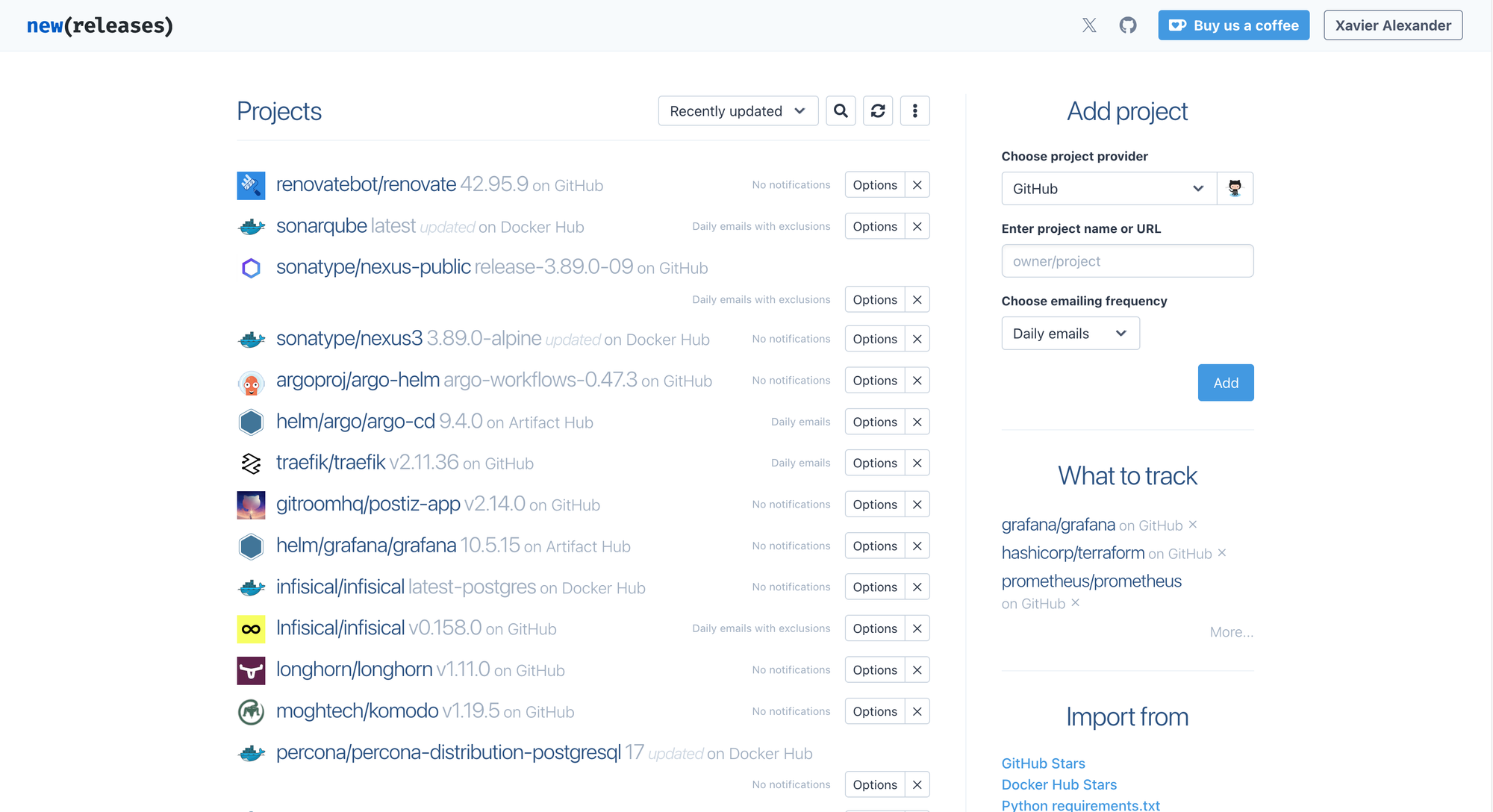
Need to keep up with releases for a Helm chart, Docker image, and PyPI package? newreleases.io is for you. In my opinion, this is the site that rules them all.
You start off by adding a project provider. Currently, they have over 29 providers to choose from. Once you choose the provider, you provide the provider URL. Finally, you get to choose email frequency. The options are instant, hourly, daily, and weekly.
"But wait, what If I have a lot of projects to import. You're telling me I have to import each one individually?" Nope! newreleases allows you to import projects. You can currently import projects from:
- GitHub Stars
- Docker Hub Stars
- Python requirements.txt
- Java pom.xml
- Go go.mod
- NPM package.json
- Yarn package.json
- Ruby Gemfile
- PHP composer.json
- Rust Cargo.toml
- File with links
Project Organization
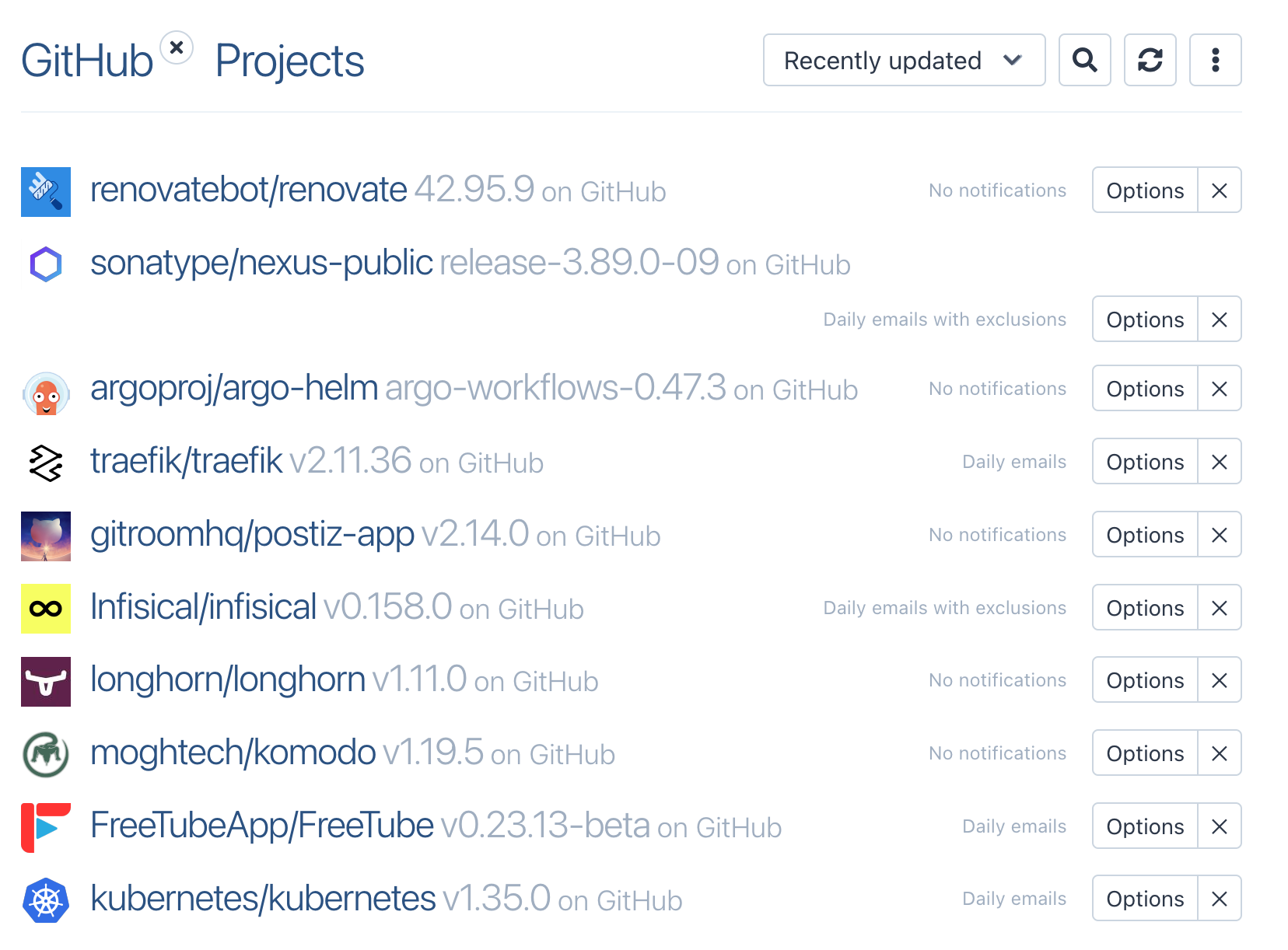
As you can see from my screenshot, I just have one feed of projects. If you need a bit more organization, you can filter your project providers. For example, if you're following releases from GitHub, ArtifactHub, and DockerHub, you can filter between each of these. Here are all of the releases on GitHub that I'm following:
Notifications
I stated earlier that you can decide on the frequency at which you're emailed about a new release. "Ok, but what if I don't want to add another thing to my already packed inbox?" No problem, you can connect newreleases to the following apps:
- Slack
- Telegram
- Discord
- Hangouts Chat
- MS Teams
- Mattermost
- Rocket.Chat
- Matrix
In addition, you can configure webhooks.
newreleases.io shines in the fact that it centralizes release tracking across ecosystems into a single, low-maintenance feed. Instead of chasing updates across Docker Hub, GitHub, PyPI, and ArtifactHub, everything lands in one place, delivered on your terms. But what If you need a solution that's a bit more automated into your actual workflow?
Automated Updates with RenovateBot
Are all of your app versions defined in your GitHub repo? If so, then Renovate Bot is for you. From a very high level, Renovate does the following:
- It scans your repo - Renovate regularly looks at your repository and detects dependencies—things like Docker images, Helm charts, Pypi packages etc.
- It checks upstream sources - For each dependency, Renovate checks the original source (Docker registries, GitHub releases, package registries) to see if a newer version exists.
- It compares versions - When a newer version is available, Renovate evaluates whether it’s a patch, minor, or major update and applies any rules you’ve defined (grouping, scheduling, automerge, ignore rules).
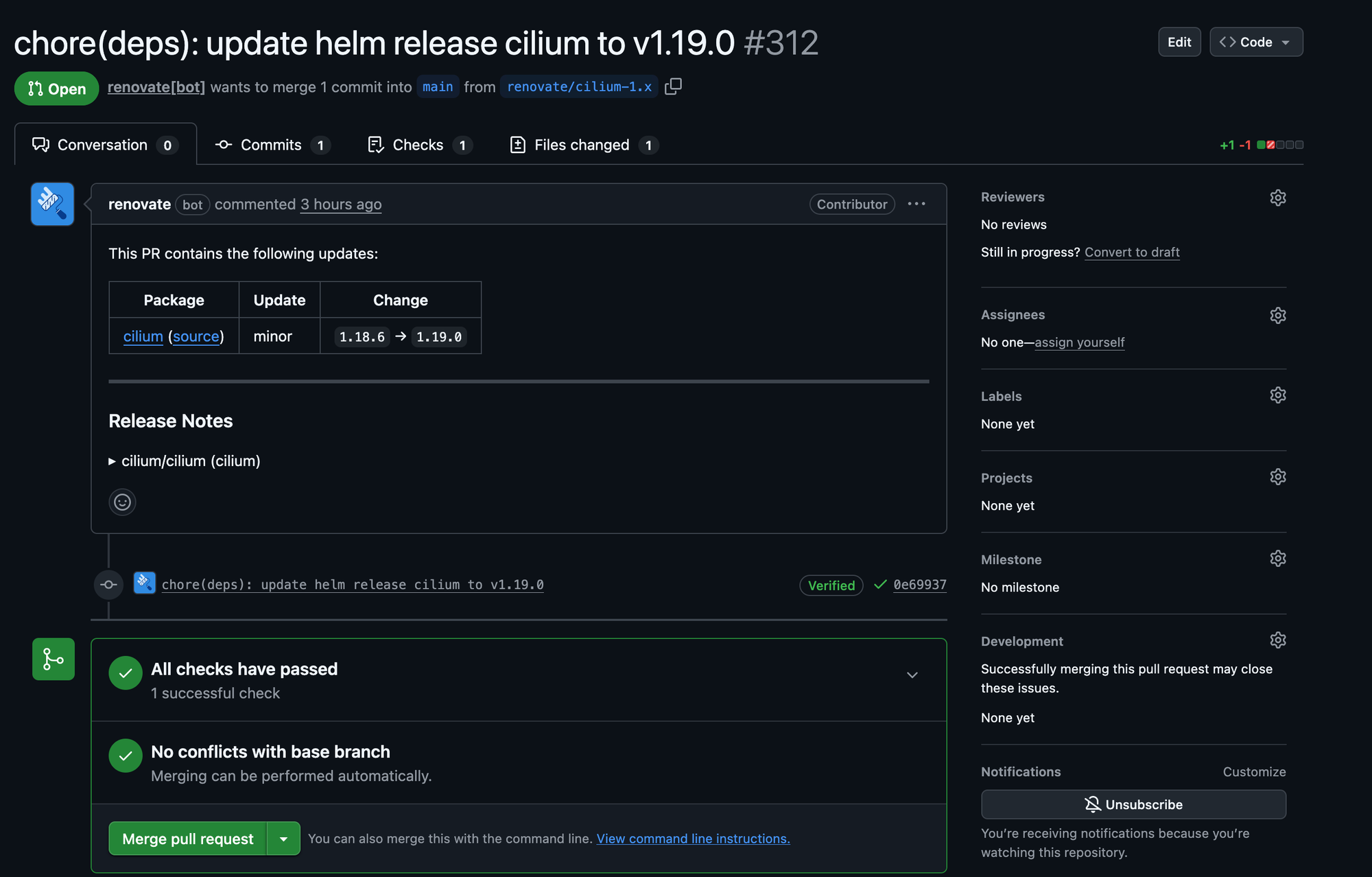
- It opens pull requests - Instead of silently changing things, Renovate creates PRs that clearly explain:
- What changed
- Why it changed
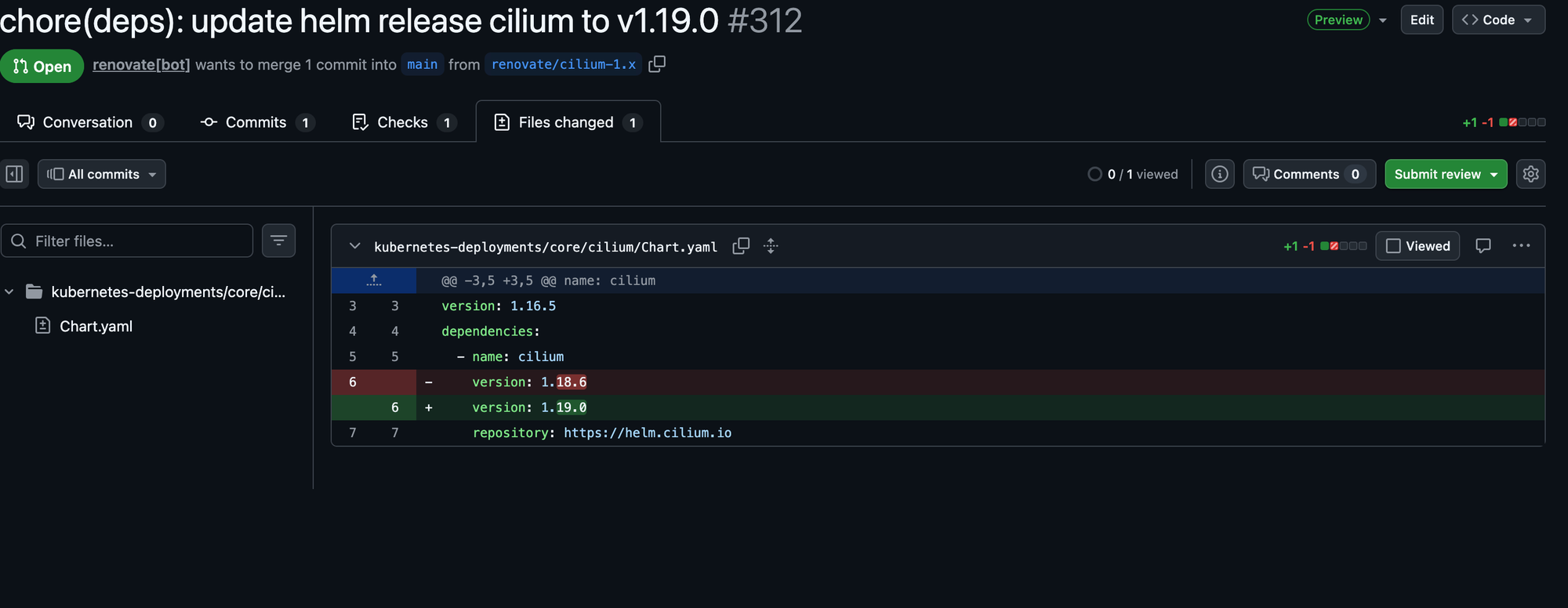
- What version you’re moving from and to
Here's an example pull request.
If you're interested in learning more about Renovate (trust me, there's a lot of ins and outs), check out their docs.
Renovate shines if you want updates to be actionable, not just visible. Instead of telling you that a new version exists, Renovate opens a pull request showing exactly what would change—and lets your normal review and CI process do the rest.
Following Vendors and Official Channels
Ok, you're using either newreleases or Renovate. A new release comes out, but unfortunately, the release notes on GitHub are lacking. No real context, no migration notes, no mention of edge cases. Sometimes, the best details come directly from the vendor's website. For example, take a look at Nexus Repo's release notes for their latest release.
Every vendor communicates releases a little differently. Some rely on mailing lists, others on forums or blogs. Sonatype maintains a Google Group you can subscribe to for announcements, while SonarQube has a public forum with dedicated channels for new releases.
Every vendor has its own way of communicating its latest releases. For example, Sonatype maintains a Google Group you can subscribe to for announcements,while SonarQube has a public forum with a channel dedicated to new releases. I actually like this. Let’s say version 2.2.2 ships with a bug that affects multiple users. In a forum-based approach, those users can comment directly on the release thread, share workarounds, confirm behavior, and sometimes even get responses from the maintainers themselves. That kind of real-world feedback rarely shows up in automated tools—but it’s incredibly valuable when you’re deciding whether to upgrade now or wait.
Conclusion
Keeping up with releases can be a battle sometimes. With the information provided above, hopefully that task can become a little more manageable.
Xavier Alexander Newsletter
Join the newsletter to receive the latest updates in your inbox.